








15 Minutes reading time
Key Findings
- Quick start without prior knowledge: With Wix, even beginners can create their own website, blog or online shop in just a few hours – without any programming knowledge, thanks to an intuitive drag-and-drop editor and AI support.
- Extensive design options: Over 900 professional templates, a LogoMaker and flexible branding options enable individual designs for almost any industry.
- Integrated business tools: Booking systems, email marketing, shop functions and SEOTools are included directly in the kit – ideal for small businesses and freelancers.
- Free trial with limitations: The free plan is suitable for trying out Wix, but it includes Wix advertising and a subdomain. For professional projects, an upgrade to a premium plan is recommended.
- Important limits to observe: GDPR issues require specific measures, exporting to other providers is not possible, and users reach limits with very large projects.
Wix By 2025, it will be one of the most popular website builders worldwide. The platform is specifically aimed at users without programming knowledge and promises that anyone can launch their own website, blog, or even a fully functional online shop within a few hours.
The strengths are obvious: a huge selection of over 900 templates, a AI Website Builder, which automatically creates designs based on just a few questions, as well as a drag-and-drop editor that offers maximum design freedom. In addition, there are integrated business and Marketing tools such as booking systems, newsletter distribution and statistics.
At the same time, there are limitations you should be aware of. The free plan displays advertising and a Wix subdomain. Data protection and GDPR compliance require separate measures, and exporting your data is not possible. finished website Switching to another provider is not possible.
My tip: Try Wix for free first and then switch to a suitable premium plan later if needed.
What is Wix and who is the website builder suitable for?
Wix is a cloud-based Website builder with an integrated hosting platform that has been on the market since the mid-2000s. The company was founded in Tel Aviv in 2006 and today operates over 180 million user accounts in 190 countries. The platform handles all the technical aspects – from server maintenance to security updates – allowing you to focus entirely on content and design.
Who benefits most from the Wix website builder?
| User group | Typical use |
|---|---|
| Solo self-employed | Portfolio, services page |
| Small businesses | Company presence, team presentation |
| Associations | Members area, event calendar |
| Restaurants & cafes | Menu, reservation, delivery service |
| Photographers & Creatives | Online portfolio, image galleries |
| Coaches & Consultants | Booking system, courses, blog |
| Freelancer | References, contact form |
No programming skills are required. Editing is done via drag-and-drop or with the help of an AI assistant that makes suggestions. Think of Wix like a prefabricated house: the platform provides the basic structure, and you customize it using themes. Apps and own Contents.
A concrete example: A restaurant uses Wix to create a homepage with an online menu, reservation function and links to social media channels such as Instagram and Facebook – all without external developers.
Step-by-step: Create your own Wix website
In this section, we'll walk you through the entire website creation process for beginners. After reading this, you'll be able to create a simple website yourself – from registration to publication.
1. Create a free Wix account
Registering at wix.com is straightforward. You can sign up with your Email address, One GoogleSign up via your account or Facebook. Payment details are not requested when creating the account.
The free entry-level plan includes a Wix subdomain (e.g., username.wixsite.com/myproject) and displays an advertising banner. This is perfectly adequate for initial testing and getting to know the system.
During registration, select your desired website type – such as "Portfolio", "Online Shop", or "Blog". The setup wizard will then suggest suitable templates and features.
Also, check the language setting in your account. Select German so that the backend and support are available in German.
2. Choose editor: Classic editor or AI website builder
After registration, two basic paths are available:
| Option | Description | Recommended for |
|---|---|---|
| Classic Wix Editor | Maximum design freedom, pixel-precise positioning | Users with design aspirations and some patience |
| AI Website Builder | Automatic generation based on questions | Absolute beginners, fast results |
The AI-powered builder uses Artificial Intelligenceto automatically generate a website based on your answers. You answer a few questions about your industry, goals, and style preferences, and the AI delivers an initial draft.
The editor you choose will determine your workflow and is difficult to reverse. My tip: Create a test page with both options first to get a feel for each workflow.
3. Select and customize a template
Wix offers over 900 professional templates in categories such as "Business," "Photography," "Restaurant," "Blog," and "Online Store." Use the industry filters and live preview to check the design, navigation, and mobile display in advance.
Important note: Once you've started with a template, you can't completely replace it with a single click. Therefore, please allow enough time for selection.
In the editor's design area, you can change colors, fonts, and the basic layout to adapt the template to your own branding. The design templates are designed to be customized with just a few clicks.
4. Build page structure, navigation and content
In the "Menus & Pages" section, you can create main pages such as "Home", "About Us", "Services", "Blog", and "Contact". Subpages – for example, for individual services or team members – can be created with just a few clicks. Menu items can be sorted using drag and drop.
Note that Wix supports a maximum of two navigation levels. This can be a disadvantage for very large websites with complex structures.
Consistently replace the sample text and placeholder images in the template with your own content. This not only improves professionalism but also helps with search engine optimization.
5. Integrate additional elements and features
Typical elements you can include:
- Buttons and call-to-actions
- Contact Forms
- Image galleries and videos
- Social media icons
- Maps and location displays
In the "Apps" section, you can add modules such as a blog, online store, booking system, or event calendar. The Wix App Market offers both free and paid extensions – such as newsletter tools, review widgets, or shipping apps.
Start with a few clear functions. You can test additional modules after launch to avoid overloading the system.
6. Optimize the website for mobile devices
Wix automatically generates a mobile version of your website. However, the mobile editor allows for targeted adjustments. Check mobile navigation, font sizes, and spacing to ensure content is easily readable on smartphones.
Specific tips for mobile optimization:
- Make the buttons large enough
- Place important information such as phone number or opening hours at the top.
- Make individual design elements visible only on mobile or only on desktop view
This will help you streamline the layout and ensure that the page looks its best on every device.
7. Connect the domain and publish the website
Click the "Publish" button to put your website online. It will initially receive a free Wix license. URL .
For professional projects, I recommend registering your own domain (e.g., .de or .com) or connecting an existing domain to Wix. With certain premium plans, a domain is included for the first year and automatically comes with an SSL certificate.
After release, you should test basic functions:
- Contact form
- booking system
- Checkout in the shop
- Newsletter Sign up
Only then is your website ready for advertising and the Link to your social media channels.
Design, templates and personalization with Wix
Consistent design is crucial for brand impact and trust. Wix excels in this area with design templates, animations, and visual refinements that enable even beginners to achieve professional results.
Templates and industry solutions
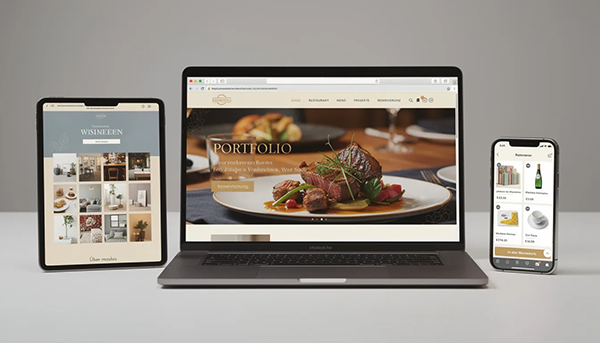
Many website templates include industry-specific content: sample menus for restaurants, course schedules for studios, or product lists for shops. Choose a template that closely matches your planned structure – this will minimize the amount of rework required.
All templates are optimized for mobile devices, and most already have a responsive basic layout. Opt for modern, streamlined designs to improve performance and readability.
Branding: Colors, fonts, logo
In the design section, you define global colors and font styles for headings, body text, and buttons. The Wix Logo Maker is a simple tool for creating a logo that can be used consistently across your website, invoices, and social media.
Recommendations for a professional appearance:
| Element | Suggestions |
|---|---|
| Main colors | Maximum 2–3 |
| Fonts | Maximum 2 (one for headings, one for body text) |
| Imagery | Consistent style on all pages |
A consistent style across all pages is important for brand recognition and brand building.
personalization and individual design
Stripes, columns, and sections allow you to create custom page layouts. Typical areas include:
- Hero area with main promise
- About Us section
- Service overview
- Testimonials and reviews
- call-to-action
Design your homepage with a clear key promise, a brief introduction, and a summary of services. Use your own images or high-quality, royalty-free sources to stand out from standard websites.
Warning: Excessive animations, fonts, and effects worsen loading times and distract users.
Features and integrations: Blog, shop & more
Wix offers far more than a simple digital business card. The platform provides extensive business features that are sufficient for many companies.
Wix Blog and Content Marketing
A blog can be easily integrated into an existing Wix website. You add a blog page and automatically receive a post overview.
Basic blogging functions:
- Categories and tags
- Comment function
- Planned release
- RSS Feed
A regular publishing schedule supports SEO and community building. Blog posts can also be reused as newsletters, social media posts, or internal knowledge bases.
Online shop and e-commerce with Wix
To sell your products, you need a business or e-commerce package. This allows you to create products with variations (sizes, colors), stock levels, shipping options, and tax rates.
Common payment providers such as credit card, PayPal, and Klarna are integrated via Wix. Payment data is processed through certified providers and is not stored locally on your website.
Important legal information for shops:
- General terms and conditions
- Right of Withdrawal
- Imprint
- Privacy Policy
You should definitely supplement these texts – ideally through specialized services or with legal advice.
Online bookings, events and member areas
With Wix Bookings, service providers such as coaches, studios, or practices offer appointments online. Customers can see available time slots, book directly, and receive confirmations via email.
Events such as workshops, concerts, or courses can also be managed via the website – including registration and tickets. A members' area allows users to register, unlock content, and offer premium materials.
App integrations and marketing tools
The Wix App Market offers extensions for many areas:
- Live chat tools
- Rating widgets and reviews
- Interfaces to shipping service providers
- newsletter integration
- Social media feeds
Wix's own marketing features include email campaigns, automations, coupon codes, and discount promotions. Choose integrations sparingly and selectively to keep the backend uncluttered and the website performing well.
Technology, performance and safety
Wix handles all the technical aspects like hosting, updates, and security in the background. This is especially beneficial for users without an IT department.
Hosting, loading times and availability
Wix hosts websites on a distributed cloud infrastructure (multi-cloud hosting). You don't have to worry about servers, updates, or maintenance.
The platform is designed for fast loading times. However, actual performance also depends on image sizes, videos, and installed apps.
Practical tips for optimization:
- Compress images
- Avoid unnecessary scripts
- Do not overload the homepage with too many elements.
Availability is targeted at around 99,9% uptime. Automatic backups and a version history help to undo errors.
Security, payments and data protection
All Wix websites come with an SSL certificate by default (HTTPSThis is important for trust and SEO.
Online shops process payment data through certified payment providers and do not store it locally.
Regarding data protection issues: Server locations outside the EU can raise GDPR concerns. Users must take their own measures – in particular, legally compliant privacy policies.
- Imprint
- Privacy Policy
- Cookie banner
- Terms and conditions (if applicable)
You should obtain these through specialized services or lawyers.
SEO, online marketing and growth with Wix
Search engine visibility and a well-thought-out marketing concept are crucial for the success of your website. Wix offers integrated SEO tools and guides beginners through the process.
Implementing SEO basics with Wix
In the editor you can edit title tags, meta descriptions and image alt text – all factors that are important to Google. Wix SEOThe assistant creates a step-by-step, customized plan for the homepage, important subpages, and blog.
Recommendations for good SEO:
| Element | Implementation |
|---|---|
| URL structure | Short, descriptive, without special characters |
| Headings | Logical hierarchy (H1–H3) |
| Internal links | Linking important pages to each other |
| New content | Regular articles, case studies, updates |
High-quality content increases the chances of good rankings clear.
Local marketing, social media and newsletters
Local businesses can register with Google business profile Important. Add your address, opening hours, and a map to your website.
You can integrate social media profiles like Instagram, Facebook, or YouTube via icons, feeds, or sharing buttons. This allows visitors to share your content and follow your channels.
Wix Email Marketing enables the sending of newsletters, automated welcome emails, and customer reactivation campaigns.
Define simple goal paths – such as contact form, appointment booking or product purchase – and highlight them clearly in navigation and buttons.
Wix pricing, rates and limits
Wix operates on a freemium model: free entry, followed by several premium plans for websites and shops.
Start for free: Free plan
The free plan is suitable for test projects, personal websites, or getting to know the editor. Websites on the free plan use a Wix subdomain and display visible Wix ads.
Storage space and features are limited. A fully functional online shop with its own payment system cannot be operated with the free plan.
Recommendation: Projects with business objectives should be switched to an ad-free premium plan early on.
Website plans for professional online presences
Typical website plans offer:
- More memory
- No advertising
- Own domain included
- Extended support
These packages are designed for company websites, portfolios, blogs, and club websites without direct product sales. Visitor numbers and bandwidth may vary depending on the chosen plan.
Rule of thumb: Smaller local businesses usually get by with a mid-range website plan. Larger ContentProjects should plan for more storage space.
E-commerce tariffs and growth limits
For online shops, special business/e-commerce tariffs are needed to unlock payment processing and extended shop functions.
These plans allow you to manage:
- Product catalogs
- Vouchers
- Shipping zones
- Headsets
- Subscriptions
Limitations: For very large shops with thousands of products and complex logistics processes, specialized systems like Shopify may be more suitable.
Start your shop with a small product range. Thoroughly test the structure, design, and legal texts before scaling significantly.
Experiences, advantages and disadvantages of Wix
User experiences from tests, reviews and practical projects show a clear picture: Wix is ideal for many projects, but there are limitations for very large or highly specialized projects.
Wix's strengths at a glance
- Visually striking templates: Great design freedom and modern effects
- Easy handling: Drag-and-drop, onboarding assistant and AI website builder for beginners
- Integrated business tools: Shop, bookings, newsletter, statistics – all from one source
- Technical relief: Backups, automatic updates, hosting and security without your own IT department
- Large community: Many tutorials, videos and help articles in German
Weaknesses and typical pitfalls
- Data protection and GDPR: Server locations outside the EU require separate measures.
- Template change: Templates that have already been selected cannot simply be completely replaced.
- Navigation depth: A maximum of two levels, limiting for very large pages.
- No export: Websites cannot be exported to other providers.
- Overloading: Excessive design freedom can lead to cluttered pages.
- Scaling: This may not be ideal for very complex shops or very large amounts of content.
For whom is Wix particularly suitable – and for whom less so?
| Suitable for | Less suitable for |
|---|---|
| Freelancers, small and medium-sized enterprises | Organizations with strictly regulated data protection requirements |
| Clubs, creatives, local businesses | Extremely complex IT landscapes |
| Users who want quick, visible results without programming | Shops with thousands of products and complex logistics |
Final recommendation: First, create a free test website. If your experience is positive, then invest in a suitable premium plan.
FAQ about Wix
Here I answer frequently asked questions that were only touched upon in the main text.
Can I migrate my existing website to Wix?
A direct 1:1 import of the old design is not technically possible. However, you can manually transfer content such as text and images. Your domain can be transferred to Wix or connected externally to the new Wix site. Keep the old website accessible during the transition phase and only switch completely after final testing.
How quickly can I get a simple website online with Wix?
Using the AI website builder and a suitable template, a basic website can often be up and running in just a few hours. Plan additional time for your own text, images, legal pages, and testing. Start with a streamlined version and add features like a blog or online store step by step later.
What happens if I cancel my Wix subscription?
Canceling a premium plan won't automatically delete your website, but it will revert to the features of the free plan. Your custom domain, shop functions, and extended storage will be restricted or removed upon contract termination. Before canceling, back up important content locally and check the impact on your domain, email inbox, and payments.
Can I create multilingual websites with Wix?
Wix offers tools for creating multilingual websites, allowing you to manage content in multiple languages. The URL structure is partially predefined and doesn't cover every possible scenario. Start with your primary languages and define navigation, legal texts, and... SEO title cleanly displayed per language.
What alternatives to Wix are there for German-speaking users?
Other construction kits such as JimdoHostinger Website Builder, Webnode, Weebly, and systems like WordPress are common alternatives. Depending on their focus—for example, blogs, multilingual sites, or extremely large online stores—each has its own advantages and disadvantages. Define your priorities (design freedom, budget, legal requirements, scalability) and make your decision based on them.
And finally ... With Wix, beginners and small businesses can quickly create a professional website – without writing a single line of code. The platform offers extensive features, modern templates, and integrated marketing tools. Be aware of the limitations regarding data privacy, scalability, and export, and it's best to start with a free test site. This way, you can find out if Wix suits your needs – and upgrade to a premium plan at any time if desired.



