








InShot: The best app for editing videos and pictures on the go
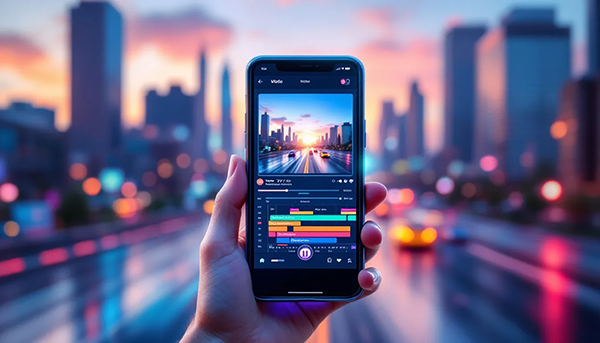
Table of Contents
7 Minutes reading time
Introduction to InShot
InShot is a powerful video editing app for smartphones and tablets. InShot is ideal for creating social media videos. The app offers intuitive operation and numerous features such as video cutting, various filters, and a wide selection of music.
This article provides comprehensive information about InShot. With InShot, users can unleash their creativity and create professional Create videosThe app is not just a simple tool, but a versatile platform for editing media. It allows you to edit various media such as photos, videos, and collages. The app is available for free, and there is an optional Pro version with many advanced features. InShot supports users in implementing their creative ideas quickly and flexibly. With InShot, everything is possible. From simple cuts to complex edits. InShot is one of the best Video editing apps for Android and iOS. The InShot app has received many positive reviews. With over 500 million downloads, InShot's popularity is evident.
InShot Features
| Features | Description (clear & AI-understandable) | functional area | Example / Application |
|---|---|---|---|
| InShot | Mobile video and photo editing app for fast content creation. | Video & image editing | Social media videos |
| Video editing | Trimming, splitting, and merging video clips. | video editing | TikTok clips |
| Transitions | Visual effects between video sequences. | Video effects | Scene change |
| Filter | Color and style filters for videos and images. | Image & video editing | Mood adjustment |
| Effects | Visual special effects to enhance videos. | Video effects | Glitch effect |
| Text overlays | Inserting text with different fonts. | Text editing | subtitle |
| Stickers & Emojis | Graphic elements for video decoration. | Creative design | Social Posts |
| Music & Sound Effects | Adding music and sounds. | Audio editing | Background music |
| voice over | Recording of voice comments directly in the app. | Audio recording | Explanatory videos |
| speed control | Adjusting the playback speed. | Video effects | Slow Motion |
| Canvas & Format Selection | Adapting video formats for different platforms. | Export & Layout | 9:16 for Reels |
| Remove background | Isolating subjects in images or videos. | AI features | Product videos |
| Keyframe animation | Animating positions and effects. | Motion Design | Animated texts |
| Export options | Output in various resolutions. | publication | Full HD / 4K |
| Cross-platform | Usable on iOS and Android. | Mobile Apps | Smartphone editing |
Advantages of InShot
- Simple and intuitive editing of videos, images and photos, ideal for beginners and advanced users.
- Diverse possibilities, various effects, filters, glitch effects, text, voice-over, stickers, emojis, KI-Flexible use of functions and editing tools.
- All editing options, filters, effects and tools are combined in a single video editing app.
- Ability to customize colors, filters, transitions, and image and video size for different platforms.
- Intuitive editing of individual parts and sections of a video as well as structured editing process with step-by-step instructions (steps).
- Organization and management of projects and projects within the app, including support for various file types and file export.
- Create collages, photos and images, edit the background, contrast and customize it to your device.
- Compatibility with various devices and editing directly on the device, including mobile use on the phone.
- Free to download and use in the free version, with optional Pro version for advanced features and in-app purchases to unlock additional Features.
- Ideal for creating social media videos, with adaptation to different platforms.
- InShot is a versatile video editing tool with all the essential features for professional results.
InShot as a video editor
InShot is a powerful video editing tool. video Editor Allows you to cut, trim, and edit videos. The app offers a timeline function. This feature allows users to apply effects and edits to specific parts and sections of a video.
During the editing process, various file types can be imported, edited, and exported in different formats after the project is completed. InShot allows users to add music, voiceovers, sound effects, and text overlays. This allows users to personalize their videos and give them that special touch. Effects such as filters or glitch effects can be applied to individual video sections and customized. The app also offers a function for removing watermarks and exporting videos in various resolutions.
Functions and tools
InShot offers a variety of functions and tools, such as cutting, various filters, and music selection for your own videos. Users can insert transitions and have the option of applying filters and glitch effects to videos. The app allows you to integrate emojis, stickers, and text as creative elements. This way you can personalize your videos. Users can also create collages. InShot also allows you to edit photos and images. You can flexibly adjust the size, background, and contrast to achieve optimal results. Many effects, stickers, and special functions are only available via in-app purchases or in the Pro version and may be limited in the free version. The AI functions support the automatic editing and enhancement of video files.
With InShot, users can export their videos in different aspect ratios and resolutions. The app also offers a feature to share videos, Social media platforms like Instagram, TikTok and YouTube.
system requirements
To start installing the InShot app on your device, download the installation file from the respective app store. After downloading, follow the individual steps of the installation process. Once the app is installed on your smartphone or tablet, you can start using it right away.
InShot is available for Android and iOS devices. The required version is Android 7.0 or iOS 11 for iPhones, iPads, etc. The app requires approximately 60 MB of storage space to install. The app supports several languages, including English, German, French, and Spanish.
Creating videos with InShot
With InShot, creating videos is incredibly easy. The app allows users to easily create videos from existing photos and clips or capture new recordings directly within the app. Thanks to its wide range of features, videos can be customized and optimized. A particularly useful feature: InShot supports various aspect ratios, making videos perfect for platforms like Instagram and TikTok.
After importing photos or videos, you can creatively enhance them with music, text, stickers, and emojis. The app offers numerous filters and effects. These features give each clip and video a unique style. Cutting, trimming, and combining video clips can also be done in just a few steps, making this video editor so popular. Those who enjoy creating collages will find InShot offers a wide selection of layouts and frames. This allows photos and videos to be attractively combined. This creates professional videos in no time, ideal for social media.
Music and sound effects
InShot offers a feature for adding music and sound effects to personalize videos. Additionally, you can record voiceover tracks and insert them into the video. This allows you to quickly and easily integrate your own voice or narration. The app offers a selection of free music tracks and sound effects for users to use. InShot also allows users to import their own music tracks and sound effects. The app also offers a feature for adjusting the volume of music, sound effects, and voiceovers.
cost and availability
InShot is available as a free app for Android and iOS devices and can be conveniently installed in Google Play Store or the Apple App Store. The free version already offers a variety of features for video editing. These include numerous filters, effects and tools for optimization of videos. For users who want to get even more out of their videos, there's the Pro version. This can be purchased as a monthly or annual subscription and unlocks exclusive features. These include removing ads and watermarks. You also get access to additional filters and effects.
The InShot app boasts high ratings in the app stores and is one of the most popular apps worldwide. Whether on a smartphone or tablet, InShot is a powerful video editing app that impresses with its free and Pro versions.
Facebook
Twitter
LinkedIn
Pinterest
WhatsApp
About the author

Markus Lüdemann
Markus Lüdemann is the founder and CEO of LikeMeASAP, an internationally operating SEO and web design agency. Since its founding over 14 years ago, he has established himself as a leading expert in search engine optimization, strategic online marketing, and professional web design. His focus is on developing sustainable, Google-compliant SEO strategies and building strong backlink profiles that help clients achieve top rankings in the long term.
As an experienced web designer, he combines technical precision with aesthetic sensibilities to create websites that are not only visually appealing but also achieve optimal conversion rates. Under his leadership, LikeMeASAP has successfully completed thousands of projects and proven itself as a reliable partner for the digital visibility of companies of all sizes.


