









12 Minutes reading time
In the world of digital Designs has Adobe Illustrator Established as an indispensable tool for creative professionals, this powerful software from Adobe Inc. revolutionized the way graphics are created by utilizing vector technology, enabling sharp and scalable designs regardless of resolution. From small icons to large-format posters, Illustrator offers the flexibility and precision that modern graphic designers require.
This comprehensive guide walks you through all the essential aspects of Adobe Illustrator, from its basic functions to specialized applications. You'll learn everything about current versions, pricing, system requirements, and seamless integration with the Adobe Creative Cloud. Whether you're an experienced designer or just starting out, this information will help you understand the full potential of this professional software.
What is Adobe Illustrator?
Adobe Illustrator is a vector-based graphics software that has set the standard for professional design for over three decades. Unlike Image editing programs Who PhotoshopUnlike programs that work with pixel grids, Illustrator is based on mathematical descriptions of shapes using vectors. This technology makes it possible to create graphics from postage stamp size to large formats without any loss of quality. Billboard-format to scale.
As an industry standard, Adobe Illustrator is used by millions of graphic designers, illustrators, and creative teams worldwide. The software is available for both Windows and macOS and is exclusively part of the Adobe Illustrator suite. Adobe Creative Cloud Available. This cloud-based licensing enables continuous updates and access to additional services and assets.
Illustrator's versatile export options support numerous file formats, including the native .ai format, PDF, SVG for the web, and various raster formats. This flexibility makes it an indispensable part of modern design workflows where graphics need to be optimized for different media and uses.
Main functions and tools
Adobe Illustrator's strength lies in its comprehensive set of tools, which offers precise control over every aspect of design. These tools have been refined over years and provide both beginners and experienced professionals with the necessary functions for creating high-quality vector graphics.
Vector drawing and path editing
The heart of Illustrator lies in its vector drawing tools, most notably the Pen tool. With this tool, designers can create Bézier curves – parametric curves defined by anchor points and control points. Each click creates an anchor point, while dragging generates directional handles that determine the curve's shape. This mathematical precision allows even the most complex shapes to be defined accurately with just a few points.
The Shape Builder tool revolutionized the creation of complex geometric shapes through intuitive Boolean operations. Designers can combine, cut, subtract, or exclude shapes to create complex graphics from simple basic elements. These Pathfinder operations are especially valuable in logo design and icon creation.
One of the latest additions is puppet warping, available since version 22. This feature allows for organic deformation of vector graphics by placing control points that function like the joints of a puppet. This opens up new possibilities for creative illustration and character design.
Typography and text design
Illustrator's typography features go far beyond simple text placement. The Touch Type text tool allows for individual editing of single letters, enabling designers to create creative text effects and bespoke logos. This flexibility is crucial for branding projects where every detail of the typographic design matters.
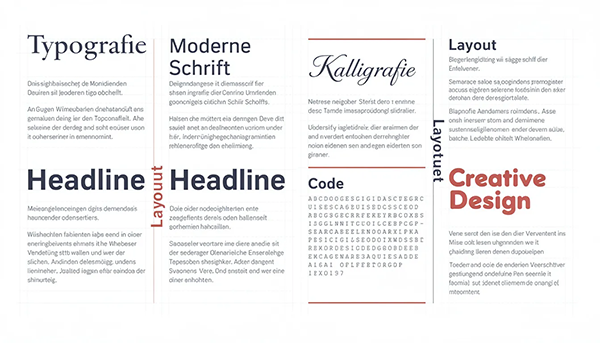
Access to the Adobe Fonts Library This significantly expands creative possibilities. With thousands of available fonts, designers can instantly access high-quality typography without having to purchase separate licenses. The automatic activation of missing fonts in newer versions further streamlines the workflow.
Advanced OpenType features offer professional typographic control through ligatures, alternate characters, stylistic sets, and small caps. Precise kerning and tracking allow for fine-tuning of letter spacing, while text-to-path conversion enables complete design customization.
Colors and gradients
Color management in Illustrator is based on standardized color spaces and supports both RGB for screen work as well CMYK for printingSpot colors like Pantone ensure consistent brand colors in offset printing, while global colors allow for centralized adjustments – when a global color swatch is changed, all objects using it are updated.
Freeform gradients offer unparalleled flexibility in color design by allowing color units to be placed at any position within a shape. Mesh tools enable highly nuanced color gradients for realistic shading and complex surface rendering.
The KIImage-assisted recoloring, powered by Adobe Sensei, automates many time-consuming color tasks. This technology can suggest color palettes, create harmonious color combinations, and intelligently recolor existing artwork.
Current versions and important updates
Adobe Illustrator has undergone significant development cycles in recent years, introducing new features and improved workflows. The continuous updates within the Creative Cloud model allow Adobe to regularly deliver innovative features. Features to implement features that meet the evolving requirements of digital design.
Adobe Illustrator 2022 (version 26)
The 2022 version of Illustrator marked a significant milestone with the introduction of comprehensive 3D capabilities. These not only enable the creation of three-dimensional graphics but also their export to modern 3D formats such as GLTF and USD. This development opens Illustrator up to new application areas, from web design with 3D elements to AR/VR projects.

Cloud-based documents have revolutionized collaborative editing by enabling teams to work on projects simultaneously and synchronize changes in real time. This feature is especially valuable for distributed teams and agencies managing large brands.
The Interweave feature simplifies object organization through intuitive stacking and rearranging of elements. Combined with the automatic activation of missing Adobe Fonts, this significantly reduces administrative overhead and allows designers to focus on creative aspects.
Adobe Illustrator 2021 (version 25)
The year 2021 saw the introduction of the repeat function, which, with its mirror, rotate, and grid modes, revolutionized the creation of complex patterns and repeating designs. This functionality is particularly valuable for textile design, packaging, and decorative graphics.
The rotating work surface proved to be a breakthrough for packaging designs, as designers can now visualize how artwork wraps around three-dimensional shapes. This feature often works in conjunction with die-cutting templates provided by packaging engineers.
The revised “Recolor Image” function and the improved deletion of hidden layers optimized existing workflows and significantly reduced the time spent on routine tasks.
Pricing and subscription options
Adobe Illustrator's pricing follows the Creative Cloud subscription model, which offers various options for different user groups. This structure allows both individuals and businesses to find the solution that best suits their needs.
Single-user pricing
For individuals, Adobe offers various subscription options that combine flexibility and cost-efficiency. The annual prepaid subscription costs €311,73 per year including VAT, which equates to a monthly price of approximately €22,99. This option offers the Best Cost efficiency for long-term users.
Adobe grants a 14Adobe offers a 30-day money-back guarantee, allowing new users to test the program risk-free. Furthermore, Adobe regularly offers special promotions such as the Cyber Monday offer, where new customers receive a 50% discount for the first year – this offer ends on December 7th and represents a significant saving.
| Subscription type | Price per year | Monthly price | Features |
|---|---|---|---|
| Annual subscription (prepayment) | 311,73 € tax incl. | 25,98 € | Best cost efficiency |
| Annual subscription (monthly) | € 275,88 net | 22,99 € | Flexible payment options |
| Cyber Monday (50% discount) | €155,87 in the first year | €12,99 in the first year | Limited offer |
Team and company licenses
For teams and businesses, Adobe offers specialized licensing models with enhanced features and administration options. Illustrator for Teams costs €397,31 net per year and includes advanced collaboration features and centralized user management.
The Pro version for Teams costs €472,10 net and includes additional credits for premium services and expanded cloud storage options. Enterprise editions start at €599,00 net and offer comprehensive admin functions, enhanced security features, and priority support.
Educational institutions benefit from special pricing starting at €177,83 net, making Adobe Creative Cloud accessible to schools and universities. This pricing supports the training of future designers and ensures a continuous pipeline of qualified professionals.
System requirements and compatibility
For optimal performance, Adobe Illustrator requires powerful hardware capable of handling the demands of modern vector processing. The software utilizes both CPU and GPU resources to smoothly render and edit complex graphics.
The minimum system requirements include at least 8 GB of RAM, whereby 16 A 1 GB or higher graphics card is recommended for professional applications. A dedicated graphics card with GPU acceleration is particularly important for smooth operation with complex designs, effects, and when zooming into highly detailed artwork.
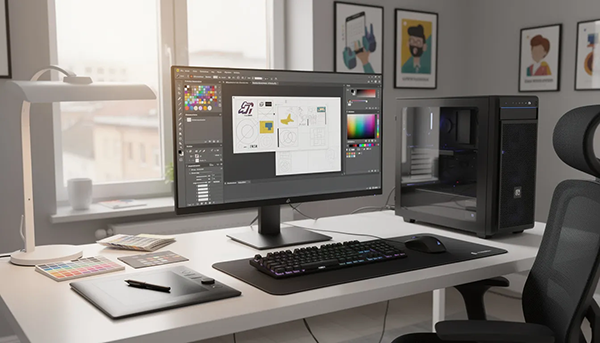
Touchscreen support on compatible Windows devices enables intuitive gesture input, while MacBook Pro Touch Bar integration provides faster access to frequently used tools. Scaling of the user interface for high-resolution displays ensures optimal readability on 4K and Retina screens.
| System | Minimum | Recommended | Optimal |
|---|---|---|---|
| RAM | 8 GB | 16 GB | 32GB+ |
| Processor | Dual-Core | Quad-Core | 8+ Cores |
| graphic card | Integrated | Dedicated 2GB | Dedicated 4GB+ |
| Storage | 4 GB free | 10 GB free | SSD recommended |
Areas of application and target groups
Adobe Illustrator is used in virtually all areas of visual design, from traditional print media to modern digital applications. The software's versatility makes it an indispensable tool for various creative disciplines.
Professional Applications
In the field of logo design and the Corporate Identity Illustrator is the undisputed standard. Vector logos can be scaled from app icons to building signage without loss of quality, which is crucial for consistent brand management. The precise geometry tools enable balanced, symmetrical trademarks that are mathematically related to one another.
Packaging design particularly benefits from Illustrator's ability to work with up to 1000 artboards. Designers can manage entire product lines in a single file, with each artboard representing a different packaging size or variant. Integration with die-cutting templates allows for precise visualization of how graphics fold around edges.
In web design, Illustrator offers CSSExport functions that help developers efficiently integrate vector graphics into websites. SVG export enables scalable graphics that are displayed sharply on all screen sizes, while exporting different asset sizes (1x, 2x, 3x) supports Retina displays.
Creative areas
Illustration and digital art have reached new dimensions through Illustrator's brush system. Different brush types—calligraphic, scatter, art, and bristle—enable everything from digital calligraphy to painterly strokes, while maintaining vector descriptions.
Icon design for apps and websites leverages Illustrator's pixel-perfect control and the ability to export assets at various resolutions. Designers can align artwork to pixel grids and preview how thin lines will appear on different screens.
Pattern creation and textile design benefit from advanced repeat tools that enable seamless tiling and complex repeat patterns. Because vector drawings are resolution-independent, the same pattern can be used for small accessories and large upholstery.
Infographics and data visualization combine Illustrator's typographic strengths with precise chart creation. Designers often import raw data from Excel or specialized analysis tools and then refine the aesthetics through custom labels, colors, and layouts.
Integration with Adobe Creative Cloud
The seamless integration of Illustrator into the Adobe Creative Cloud creates powerful workflows that go far beyond the capabilities of individual applications. This interconnectedness is particularly valuable for complex projects that encompass various media and formats.
The workflow between Illustrator, Photoshop, and InDesign is highly optimized. Vector illustrations from Illustrator can be placed in Photoshop as Smart Objects, allowing updates to be transferred automatically. InDesign supports linked Illustrator files for multi-page layouts, saving time for magazines, catalogs, and technical manuals.
Cloud synchronization of settings and Creative Cloud libraries ensures consistency across all devices. Shared libraries centrally store colors, character styles, and graphics, allowing brand teams to maintain unified asset collections. Changes made to one library are applied to all documents that use those assets.
Real-time comments and feedback features are revolutionizing collaboration between designers and clients. Stakeholders can annotate artwork without editing the original files, significantly streamlining the review process.
The connection to mobile apps like Adobe Illustrator on iPad enables flexible working on the go. Projects automatically synchronize between desktop and tablet, allowing sketches and concepts to be seamlessly transferred into professional designs.
With 100 GB of cloud storage, Creative Cloud offers ample space for extensive project files and assets. Versioning and recovery options protect against data loss and allow you to revert to previous versions.
Advantages and disadvantages at a glance
An honest evaluation of Adobe Illustrator must consider both the software's strengths and limitations. After more than two decades on the market, a clear picture of its advantages and disadvantages has emerged.
Benefits
As an industry standard with over 20 years of market experience, Illustrator offers unparalleled stability and reliability. Continuous development has resulted in a mature product that performs reliably even in the most demanding projects.
High user satisfaction is reflected in average ratings of 4,0 to 4,7 stars. Professional users particularly appreciate the precise vector tools, which allow designs to be scaled without any loss of quality – a crucial advantage over pixel-based alternatives.
The extensive Creative Cloud integration creates workflows that would be impossible with standalone software. The ability to seamlessly transfer projects between different Adobe applications saves considerable time and reduces compatibility issues.
The extensive plugin ecosystem and scripting support allow for customization to specialized workflows. From isometric drawing and CAD-like dimensioning to advanced color tools, Illustrator can be adapted to virtually any use case.
Disadvantages
The cost presents a significant hurdle for many users. Compared to alternatives like Figma or Affinity Designer, Illustrator is considerably more expensive, especially since only subscriptions are now available. For smaller studios and freelancers, the recurring costs can be problematic.
The steep learning curve can deter beginners. The conceptual leap to Bézier curves and the pen tool is challenging, and understanding layers, groups, and appearance attributes requires considerable practice.
The subscription model without perpetual licensing options results in ongoing operating costs and dependence on Adobe's services. Users no longer have the option to permanently purchase a version and use it independently of online services.
High system requirements for optimal performance can overwhelm older hardware. Complex files with many effects and embedded images can push even powerful computers to their limits, which is particularly problematic for freelancers with limited budgets.
| Aspect | Rating | Details |
|---|---|---|
| Features | ⭐⭐⭐⭐⭐ | Industry leader, continuously expanding |
| Ease of use | ⭐⭐⭐⭐ | Powerful, but steep learning curve |
| Price-performance | ⭐⭐⭐ | High-quality, but expensive |
| Integration | ⭐⭐⭐⭐⭐ | Excellent within the Adobe ecosystem |
| Performance | ⭐⭐⭐⭐ | Good with adequate hardware |
Despite its drawbacks, Adobe Illustrator remains the top choice for professional vector design. The decision should be based on a careful consideration of specific requirements, available budget, and long-term business goals. For many professionals, the advantages clearly outweigh the disadvantages, while others may be better served by more cost-effective alternatives.
The 14A 24-day trial period allows potential users to evaluate Illustrator in real-world projects before committing to a subscription. This is particularly valuable for determining whether the software meets specific workflow requirements and justifies the investment.
Ultimately, Adobe Illustrator is more than just software – it is a complete ecosystem for professional design that is continuously evolving to meet the changing needs of the creative industry.



