









8 Minutes reading time
The Google Color Picker is a Chrome tool, which allows you to select colors from web pages and the color values in HEX and RGB Here you can find out how to activate and use the tool.
Key facts at a glance
- The Google Color Picker allows you to easily capture color values in various formats (HEX, RGB, HSL) directly from websites, thus optimizing the design process.
- The interface is intuitive and the extension can be activated quickly, allowing users to select colors efficiently while browsing.
- Additional features such as the CSS Gradient Generator and the management of recently used colors increase the flexibility and effectiveness in color selection and application.
Google Color Picker: An Overview
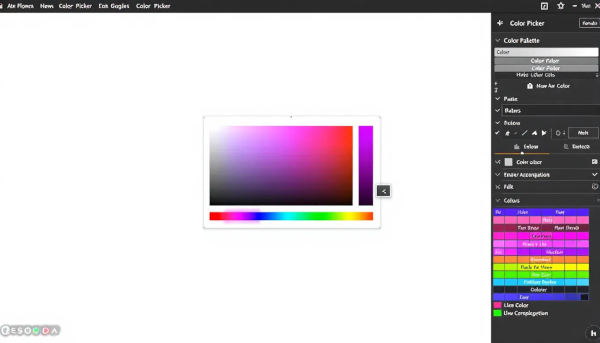
The Google Color Picker is a powerful tool specifically designed to retrieve color values from web pages and display them in various formats, such as HEX and RGB. With just one click, you can capture the colors you want and integrate them directly into your design. This not only saves time, but also increases precision when working with colors. The Google Color Picker is also an ideal tool if you Create a website want.
The Google Color Picker interface is designed to be intuitive and easy to use. After installing the extension, you can activate it via the icon in the top right corner of your Chrome browser and start choosing colors right away. This makes it particularly easy to capture colors while browsing the web without having to take any additional steps.
Another advantage is the tool's ability to represent color values in different formats, including HEX and RGB codes. This flexibility allows the colors to be used directly in different applications and platforms, which greatly facilitates the design process.
How to activate the Google Color Picker
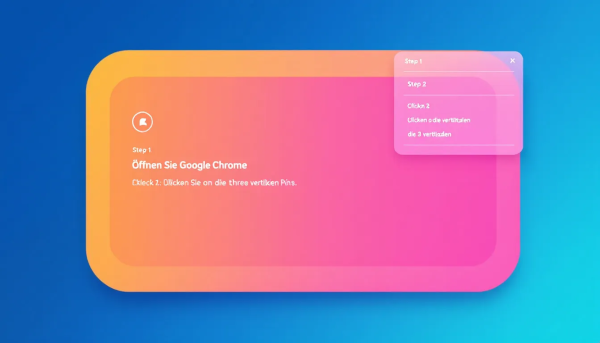
To enable the Google Color Picker in Chrome, you must first remove the extension from the Chrome Web Store This is a quick and straightforward process that only takes a few minutes. Make sure you are using the latest version of Chrome to avoid any complications.
Once installed, you will find the color picker icon in the top right corner of your Chrome browser. Click on the icon to activate the extension and start picking colors. It is important that you grant the extension the necessary permissions for it to work properly and the permission is granted.
Once the extension is activated, you can select colors from any web page. This makes the Google Color Picker an extremely handy tool for designers and developers who often have to work with different color palettes. The easy activation and use of the tool allows you to quickly and efficiently capture the desired colors.
Select color values with the Google Color Picker
The Google Color Picker allows users to retrieve colors from web pages in various formats such as HEX, RGB and HSL. This variety of color coding systems offers great flexibility and makes it easier to integrate the selected colors into different design projects.
One of the outstanding features of the Google Color Picker is the pipette functionthat allows users to directly identify the color of each pixel on a web page. This is especially useful when you want to extract a specific color from an image or design element.
Additionally, the plugin provides a list of CSS color namesthat can be used directly in the code to facilitate the design process. This saves time and reduces the need to code colors manually.
The ability to save and manage color values in different formats makes the Google Color Picker an indispensable tool for anyone who works with color professionally.
Benefits of the Google Color Picker

A standout benefit of the Google Color Picker is the ability to view and manage recently used colors, which makes color selection much easier. This is especially useful when working on projects that require a consistent color palette.
Another useful feature is the CSS Gradient Generator, which supports the creation and customization of color gradients. This feature is especially valuable for web designers who want to create complex and appealing designs. The Gradient Generator allows you to create seamless transitions between different colors, which adds an extra level of professionalism to the design.
In addition, the Google Color Picker offers the ability to select the exact color codes for each pixel on a web page. This makes it easier for web designers to match colors and ensure a consistent look in their projects. The extension is free and accessible to both professional designers and hobbyists who work with colors on a regular basis.
Common problems and solutions
There are several issues you may encounter when using the Google Color Picker. A common challenge is that the Color Picker doesn't work with certain websites. In such cases, it may help to reload the web page or check if the site has special security settings that block the extension.
Another problem is that the color picker is not available in Chrome's incognito mode. To solve this problem, you need to manually enable the extension for incognito mode. If the color picker is unresponsive, restarting the browser can often help.
In some cases, disabling browser extensions can resolve conflicts with the Color Picker. It's important to know the most common problems and their solutions to use the Color Picker effectively. With these tips, you can ensure that the Google Color Picker works smoothly and helps you with your design projects.
Alternative color selection tools for Chrome

While the Google Color Picker is an excellent tool, there are other color picker tools for Chrome that are worth mentioning. A popular alternative is ColorZilla, an extension that helps web developers and graphic designers with color-related tasks. ColorZilla has over 10 million downloads worldwide and is appreciated for its ease of use and variety of features.
Colorzilla offers versatile features such as an eyedropper and a CSS gradient generator. These tools allow users to get the color of every pixel on a web page and create complex color gradients. Real-time color selection is done through an eyedropper function that can pick colors directly from web pages. The color picker tool also allows users to optimize their color selection. The picker allows for even more precise selection of the desired colors.
Reviews emphasize ColorZilla's safety and reliability, with the developer stating that no user data is collected. Users report easy color selection from any point on a web page, making ColorZilla particularly useful for designers. The average rating shows user satisfaction and provides valuable information.
This alternative therefore offers an excellent addition or even replacement for the Google Color Picker.
reviews and ratings
User reviews for the Google Color Picker are mostly positive. Many users praise the tool's ease of use and extensive features. One user described that the Google Color Picker was able to help him effectively select the right colors for his web design.
Some users report difficulties installing the tool, but these are usually quickly resolved. The main strengths of the Google Color Picker are its intuitive interface and precise color selection. Criticisms include occasional bugs and the need to get used to the interface.
In summary, the Google Color Picker is considered a reliable tool that impresses with its features and user experience. The ability to quickly save color values makes work much easier and makes the tool an indispensable companion for every designer.
Summary: Key takeaways about intuitive eating
In summary, Google Color Picker offers a variety of features that make it an indispensable tool for web designers and developers. From easy installation and activation to precise color selection in various formats, this tool covers all needs. The ability to create gradients and save recently used colors are additional advantages that facilitate the work process.
In conclusion, the Google Color Picker is not only a handy tool, but also an extremely powerful one. It is easily accessible, free and offers a wealth of features that make working with colors much easier. We recommend that anyone who regularly works with colors try this tool and experience the positive effects for themselves.
Frequently Asked Questions
How do I install the Google Color Picker?
To install the Google Color Picker, visit the Chrome Web Store and follow the instructions there.
Which color formats does the Google Color Picker support?
The Google Color Picker supports the color formats HEX, RGB and HSL.
Can I use the Google Color Picker in incognito mode?
Yes, you can use Google Color Picker in incognito mode, but you must manually enable the extension first.
Are there alternatives to the Google Color Picker?
Yes, a popular alternative to Google Color Picker is ColorZilla, which offers comprehensive color selection features.
What are the most common problems when using the Google Color Picker?
The most common problems when using the Google Color Picker are incompatibility with certain websites and lack of availability in incognito mode. These limitations can significantly affect the user experience.



