









8 Minutes reading time
Are you asking? Are you wondering how to optimize your email marketing with WordPress? Fluent CRM FluentCRM is a plugin that helps with this. We explain what FluentCRM is, how it works, and why it's a good idea. quality It could be a good choice for your marketing.
Key facts at a glance
- FluentCRM is a self-hosted email marketing and CRM plugin for WordPress that offers easy setup and comprehensive automation features.
- The tool enables seamless integrations with other plugins such as WooCommerce and MemberPress, making it easier to create targeted email campaigns.
- The Pro version of FluentCRM offers advanced features at a good price-performance ratio, including A/B testing and comprehensive performance reports.
What is FluentCRM?
FluentCRM is a comprehensive email marketing and CRM plugin for WordPress, distinguished by its versatility and ease of use. It offers a wide range of features for creating, managing, and automating email campaigns, as well as for effectively managing customer contacts.
A key advantage of FluentCRM is that all data is stored directly on your own server, making it 100% self-hosted. For those who want to test it first, there's a free version with basic features such as... Lead-Management and targeted newsletter distribution.
Installation and setup
Installing and setting up FluentCRM is a breeze. Here are the steps:
- Simply download and install the plugin via the WordPress dashboard.
- Activation takes place after installation.
- FluentCRM is ready to create and manage customer contacts.
Installation
FluentCRM is installed directly through the WordPress dashboard. Follow these steps:
- Go to Plugins.
- Click on “Add new”.
- Search for FluentCRM.
- Click on “Install now”.
- Then click “Activate” to get the plugin running on your website.
This simple process makes it an ideal choice for anyone who prefers a quick and hassle-free setup. This guide will help you with that.
Get Started
After activating FluentCRM, you will be welcomed directly to the dashboard, where you will find an overview of your campaigns, contacts and statistics.
The basic settings require the entry of company name, address, and administrative information. Email address, to confirm your company's identity and ensure that all email communications are correctly labelled.
Integration with other tools
FluentCRM not only shines with its own features, but also with its seamless integrations with popular WordPress plugins and external tools, as well as the WordPress plugin.
Thanks to full REST API support, you can easily connect it to various services and tools to improve your marketing automation.
WooCommerce
For WooCommerce users, the integration of FluentCRM is a real game-changer. Emails can be sent automatically based on customer actions within WooCommerce, which significantly simplifies marketing automation.
Furthermore, FluentCRM allows for the segmentation of contacts based on specific product purchases, enabling the creation of targeted email campaigns. These campaigns can also be further refined to target a specific segment.
MemberPress
FluentCRM integrates seamlessly with MemberPress and streamlines member management. It enables the synchronization of member data and the sending of targeted communications based on membership status.
This integration significantly improves marketing strategies and member retention efforts.
Further integrations
In addition to WooCommerce and MemberPress, FluentCRM also supports other important tools such as LifterLMS, LearnDash, and TutorLMS. Furthermore, FluentCRM's migration tool simplifies switching from other providers like ActiveCampaign, MailChimp, and ConvertKit.
Creation and distribution of newsletters
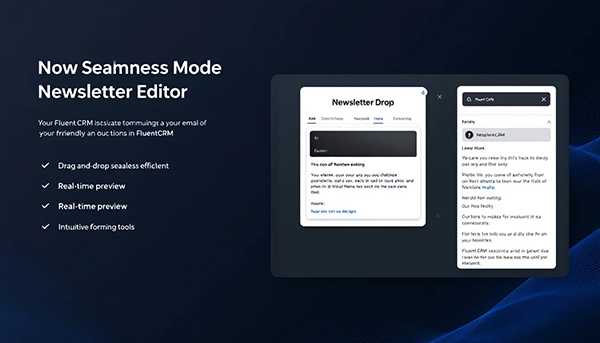
FluentCRM makes creating and sending newsletters a breeze. Thanks to its user-friendly interface, even beginners can easily create and send customizable newsletters.
The emails are sent directly via the WordPress dashboard using easily customizable templates.
newsletter editor
FluentCRM's drag-and-drop editor allows users to intuitively create email content without requiring technical knowledge. Text, images, and buttons can be easily added with this editor, enabling creative and efficient email campaigns.
A quick preview ensures that the Design is optimized before the newsletter is sent.
Personalization and segmentation
FluentCRM supports the dynamic adaptation of content based on recipient group, resulting in personalized communication. By using tags, emails can be personalized and segmented to target specific audiences. Target groups to address.
This feature is particularly useful for sending personalized emails for specific products in conjunction with WooCommerce.
Email campaign automation

Email campaign automation is one of FluentCRM's greatest strengths. It allows for the easy setup of automated email funnels based on user actions.
These automations save time and significantly increase efficiency.
marketing automation
Automated marketing campaigns can be easily created through targeted actions based on user behavior. Triggers can include, for example, filling out a form on the website or opening an email, which is part of an effective strategy. Marketing strategy at a hunt.
These automations optimize the workflow and save valuable time.
Email sequences
FluentCRM enables the easy automation of email sequences based on various Trigger, such as subscribing to lists. These sequences can be set up so that potential customers are specifically targeted and cared for over a longer period of time.
A typical example would be automatically sending a welcome email after newsletter registration.
Managing contacts
Managing contacts is particularly user-friendly with FluentCRM. After installing the plugin, users can either import existing contacts via CSV files or add them manually. Users can also contact the company directly with any questions or concerns.
Simple categorization options such as lists, tags, and statuses make it easier to organize and segment categories of contacts.
Lists and tags
Creating lists in FluentCRM enables targeted communication with subscribers based on specific criteria. Contacts can be segmented using specific tags and analyzed according to user behavior to identify relevant patterns.
This makes it easier to create a main contact list and use it in targeted marketing campaigns.
Custom fields
Custom fields in FluentCRM help capture specific information that is not included in the standard fields. This functionality enables deeper segmentation and personalized communication with contacts.
Reports and analysis

FluentCRM offers specific reporting functions to evaluate the performance of campaigns and automations in detail. These reports are crucial for the strategic planning and optimization of future campaigns.
Campaign reports
The Analysis Monitoring open and click-through rates is crucial for adapting future email campaign strategies. Better contact organization in FluentCRM leads to higher open and click-through rates, which in turn improves subscriber relationships.
Automation reports
Reports on automation processes in FluentCRM help measure the effectiveness of email automation and identify potential areas for improvement. These reports provide insights into metrics such as sent, opened, and clicked emails within an automation process.
Advantages of FluentCRM Pro
The Pro version of FluentCRM offers advanced email marketing features and integrations that provide comprehensive control over marketing efforts. These enhanced features are crucial for maximizing campaign efficiency and effectiveness.
Enhanced email marketing features
The plugin allows users to create automated email campaigns based on user interactions.
The Pro version also allows the creation of A/B tests to optimize email campaigns and offers detailed performance reports.
Price-Performance Ratio
The Pro version of FluentCRM costs approximately €103 per year for one website, which offers excellent value for money compared to many competitors.
All details and purchasing options are available on the official Fluent CRM website.
Common challenges and solutions
As with any tool, challenges can arise when using FluentCRM. A common challenge is the dependence on the web host's email servers, which are often unreliable.
Furthermore, specific settings must be configured to make FluentCRM GDPR-compliant.
Delivery problems
Using WP Mail SMTP It improves email deliverability by sending emails via an authenticated mailer service. It is also advisable to use email addresses that are associated with your own. Domain are linked to increase the chances of successful delivery.
data migration
The migration of contacts from other CRM systems This can be a challenge, but FluentCRM offers efficient solutions. Contacts can first be exported from systems like GroundHogg CRM or Jetpack CRM and then imported into FluentCRM.
This enables seamless integration and ensures that all existing data and contacts are retained.
Summary: Key takeaways about intuitive eating
FluentCRM stands out as a powerful and versatile email marketing and CRM plugin for WordPress. From its simple installation process and extensive integrations to advanced automation features, it offers all the tools necessary to run successful email marketing campaigns and manage customer relationships. The Pro version expands these capabilities even further and offers excellent value for money. Whether you're a small business or a large corporation, FluentCRM can significantly improve your marketing strategy and help you achieve your business goals. Take advantage of this tool and see how it elevates your email marketing to the next level.
Frequently Asked Questions
What is FluentCRM?
FluentCRM is a powerful email marketing and CRM plugin for WordPress that helps you create, manage and automate email campaigns and effectively manage customer contacts.
How do I install FluentCRM?
To install FluentCRM, download the plugin via the WordPress dashboard, install it, and then activate it.
Which integrations does FluentCRM support?
FluentCRM supports integrations with popular WordPress plugins such as WooCommerce, MemberPress, as well as various LMS integrations and migration tools for other CRM systems.
What are the advantages of the Pro version of FluentCRM?
The Pro version of FluentCRM offers significant advantages such as advanced email marketing features, unlimited contacts and campaigns, and detailed performance reports, making it a worthwhile investment. It's also available for approximately €103 per year for one website.
How can I avoid delivery problems with my emails?
To avoid email delivery problems, it is recommended to use WP Mail SMTP and set up email addresses linked to your own domain. This significantly improves email deliverability.



